OpenAI Codex: A Practical Guide to AI-Powered Software Development
Coding agents are moving beyond autocomplete. They can help investigate unfamiliar repositories, propose changes across files, run permitted tools and test an implementation. The useful question is not whether an agent can write code, but whether it can help you ship a change you understand, can verify and are happy to maintain.
There is a familiar moment in software development: a ticket looks small, then you open the repository and discover three similarly named modules, a test that only fails in CI, and a README that has not matched the code for months. Writing the function may be the easy part. Finding the right place to change it, understanding the side effects and proving that nothing else broke can take longer.
That is the sort of work an AI coding agent is intended to help with. OpenAI Codex is part of the shift from asking a model for a snippet to delegating a bounded engineering task. Depending on the product surface and permissions available, a task may involve inspecting code, editing files, using development tools and reporting back on the result. It still needs a developer to define the goal, check the diff and decide whether the result belongs in the codebase.
This guide approaches Codex from a practical engineering angle. It covers the mental model, setup considerations, prompts, language-specific workflows, comparisons, measurement and security. Product capabilities can change, so verify interface-specific details in the official OpenAI Codex information and the official Codex documentation before following version-sensitive instructions.
What Is OpenAI Codex?
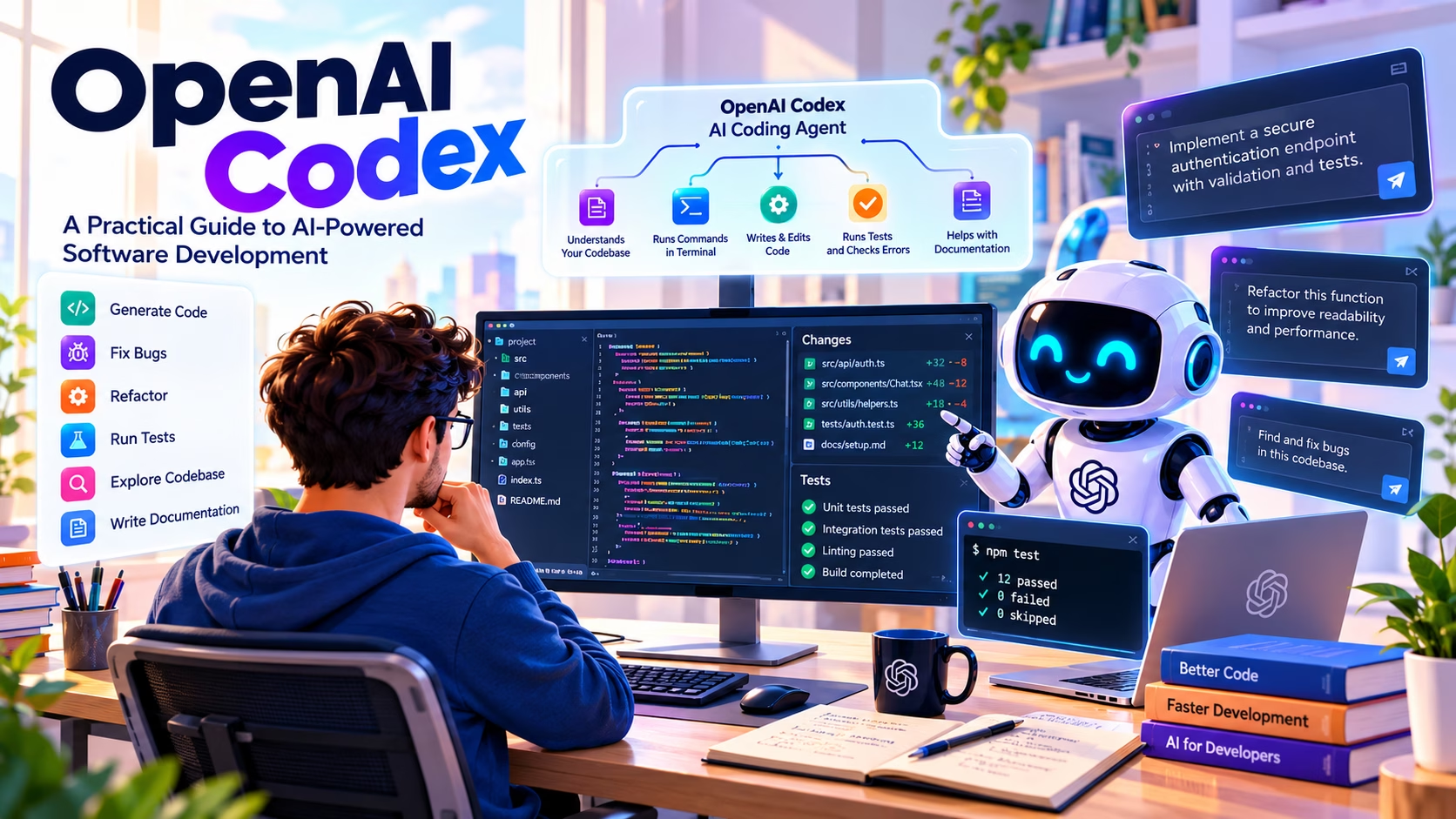
OpenAI Codex is a coding agent designed to help with software engineering tasks. The key distinction is the word task. A conventional completion tool suggests the next line or block of code while you work. An agentic workflow can take a broader instruction, inspect relevant project context, make a set of changes and use available tools to check its work. The precise behaviour depends on the Codex interface, model, access level and permissions configured for that session.
Think of the difference between asking, “How do I parse this JSON?” and asking, “Trace where this API response is parsed, add validation for missing fields, write regression tests and show me the diff.” The first is a question about code. The second is a bounded engineering assignment. A coding agent may help with the second, but the developer still owns the acceptance criteria and the decision to merge.
Code assistant
Suggests snippets, explains concepts and helps you reason about a local problem. You typically direct each next step.
Coding agent
Can work through a multi-step task using the repository and tools made available to it, then report the changes and checks performed.
Software engineer
Supplies product context, architecture judgement, accountability, security review and the final decision about what ships.
It is also worth separating the modern Codex product from the earlier Codex model family associated with code generation. Product names and underlying models are not interchangeable. When a feature, model or plan is mentioned in a tutorial, check the current official documentation rather than assuming historical details still apply.
Codex sits within a wider AI development landscape. If you are comparing tools before committing to a workflow, start with HanjuthAI’s overview of the best AI tools for developers in 2026. For the underlying concepts, our complete guide to artificial intelligence explains the broader field, while this guide to machine learning covers how systems learn patterns from data.
How Codex Works Behind the Scenes
Although individual interfaces differ, a reliable coding-agent workflow usually follows a loop: understand the request, inspect the project, plan, edit, verify and report. This loop matters because generated code is only one part of the result. A change that compiles but violates an API contract, breaks a migration or skips an important edge case is not a successful change.
The loop is conceptual. It describes a sound engineering pattern, not a guarantee that every Codex surface exposes the same steps or tools.
Context, tools and permissions
The agent needs enough context to understand the task: relevant files, project conventions, dependencies, test commands and the expected behaviour. Too little context encourages guesses; dumping every file into a prompt can bury the useful information. A focused instruction points the agent towards the right area and asks it to inspect before changing anything.
Tools determine what the agent can do. Depending on the environment, it may be able to read files, edit them, execute commands or interact with repository workflows. Permissions and sandboxing constrain those actions. They should be treated as meaningful safety boundaries, not as a substitute for reviewing commands and changes. A repository can contain misleading instructions, malicious text or unsafe scripts, so content discovered during the task should not automatically be treated as trusted direction.
OpenAI Codex Features Developers Should Understand
Feature availability changes across product surfaces and account plans, so use this table as a map of task categories rather than a promise that every option is present in every interface.
| Task | What to ask for | What to verify |
|---|---|---|
| Code generation | Implement a small function or feature within existing conventions. | Correctness, edge cases, naming and compatibility. |
| Repository exploration | Trace the request path and identify relevant modules before editing. | Whether the explanation matches the actual code. |
| Bug investigation | Reproduce the failure, locate the cause and propose a minimal fix. | A regression test that fails before the fix and passes afterwards. |
| Refactoring | Reduce duplication without changing externally visible behaviour. | Diff scope, public interfaces and test coverage. |
| Documentation | Update instructions to match actual commands and configuration. | Commands and examples that are current and runnable. |
| Review support | Look for correctness, security and maintainability issues in a change. | Evidence for each finding and false positives. |
Multi-file work can be particularly helpful because many real features cross boundaries. A new setting might touch a schema, validation layer, API response, UI control and tests. The agent can help keep the set of changes coherent, but cross-file reach also creates more opportunities for unintended side effects. Keep the requested scope explicit.
Other useful capabilities may include working with a terminal, running checks, preparing reviewable changes or using supported integrations. Consult the current Codex documentation for the exact interface, installation method, account requirements and permissions that apply to your setup. Avoid copying commands from an old article without checking their current form.
How to Set Up OpenAI Codex
There is no single setup sequence that applies to every Codex surface. Start by choosing the supported workflow that matches how you work, then follow the current official instructions for that surface. The following checklist is deliberately product-neutral where details may change.
- Confirm access. Check the current product page for supported accounts, plans, regions and usage limits.
- Choose the environment. Decide whether your task belongs in a supported web, desktop, command-line or editor workflow. Do not assume all surfaces share the same permissions.
- Start with a clean working tree. Commit or stash unrelated changes so you can identify exactly what the agent changes.
- Read the project instructions. Find the README, contribution guide, package scripts, test configuration and any agent-specific instruction file used by your project.
- Review access and sandbox settings. Give the minimum permissions needed for the task. Keep secrets out of prompts and source files.
- Try a read-only task first. Ask the agent to map the project structure or explain one function without editing files.
- Run a small change. Choose a low-risk issue with clear acceptance criteria and a test that can confirm the result.
- Inspect everything. Review the diff, run relevant checks yourself and revert anything you cannot explain.
For a command-line installation, use the exact installation and authentication instructions published for the current CLI release. This article intentionally avoids a hard-coded install command because package names, supported environments and flags can change. Likewise, do not paste a configuration snippet into a project unless the current documentation confirms the file name and supported fields.
Your First OpenAI Codex Workflow
Imagine a small TypeScript service accepts a user profile and occasionally stores an empty display name. The task sounds straightforward, but the right fix depends on where validation happens, what the API contract promises and whether existing clients rely on current behaviour.
“Inspect the profile update path and identify where display names are validated. Do not edit files yet. Explain the current behaviour, list the relevant files and propose a minimal fix with regression tests. Preserve the existing API contract unless the code clearly contradicts it.”
This first request separates discovery from implementation. Review the agent’s explanation against the code. If the diagnosis is sound, follow with a narrower implementation task:
Implement the agreed display-name validation fix.

Constraints:
- Keep the change limited to the relevant validation logic and tests.
- Preserve existing API response shapes.
- Add tests for an empty string, whitespace-only input, a valid name and a missing field.
- Do not add dependencies.
- Run the relevant test command if available.
- Report changed files, checks run, failures and any uncertainty.
Suppose the project uses a validation helper. An illustrative implementation might look like this, although the actual code should follow the repository’s types and conventions:
export function isValidDisplayName(value: unknown): value is string {
  return typeof value === "string" && value.trim().length > 0;
}
The example is intentionally small. Real systems may need maximum lengths, Unicode handling, normalisation rules and a clear decision about whether an omitted field means “leave unchanged” or “clear the value”. An agent should not silently decide those product rules.
A Python example
For a Python data-processing project, ask the agent to inspect how malformed rows are handled before requesting a fix:
Trace the CSV import path. Identify how missing email values are handled.
First explain the current behaviour and the tests that cover it.
Then propose a minimal change that rejects blank email values without
changing the handling of unrelated optional columns. Wait for approval
before editing. After implementation, run the focused tests and report
any cases that remain untested.
After the changes, check the diff, run the project’s normal tests and inspect the edge cases. A green test suite is useful evidence, not proof that the feature is correct. Tests can be incomplete, and a generated test can simply repeat the implementation’s mistaken assumption.
12 Practical OpenAI Codex Prompts for Developers
Good prompts make the goal, constraints and acceptance criteria explicit. Use these as starting points, then replace the generic details with your actual repository paths, expected behaviour and test commands.
Understand an unfamiliar codebase
Map the main architecture of this repository. Identify the entry points,
important modules, data flow, test commands and project conventions.
Do not edit files. Cite file paths and explain any uncertainty. Finish
with a short guide to the safest place to make a small feature change.
Why it helps: It asks for evidence and file paths before changes begin. Check that the map matches the actual project structure.
Investigate a reproducible bug
Investigate this bug: [describe the observed result and expected result].
Reproduce it if the available environment permits. Trace the relevant
code path, identify the most likely root cause and propose the smallest
fix. Do not edit until you show the diagnosis and regression-test plan.
Why it helps: It discourages random edits before the cause is understood. Verify that the reproduction actually demonstrates the issue.
Add regression tests
For [function or feature], inspect existing test conventions and add
regression tests for the reported failure and nearby edge cases. Do not
change production code unless a test exposes a confirmed defect. Explain
which cases are covered and which remain outside the test scope.
Why it helps: It keeps test creation distinct from implementation and encourages an honest account of coverage.
Refactor duplicated logic safely
Find duplicated logic related to [specific behaviour]. Report the
locations and meaningful differences first. Propose a small refactor
that preserves public behaviour, avoids new dependencies and keeps the
diff focused. Add or update tests, then summarise any behaviour risk.
Why it helps: Similar-looking code is not always interchangeable. Ask the agent to identify differences before extracting a shared helper.
Review a proposed change
Review the current diff for correctness, regressions, security and
maintainability. Prioritise actionable findings, give file and line
references where possible, explain impact, and distinguish confirmed
problems from questions. Do not modify files. If you find no issue,
state what you checked and what you could not verify.
Why it helps: It asks for specific findings instead of vague praise. Verify each finding against the code and reproduce it where possible.
Look for security problems
Inspect [specific route, module or diff] for input validation, access
control, secret exposure, unsafe deserialisation, injection risks and
sensitive logging. Do not print secret values. For each potential issue,
show the relevant code path, impact, confidence and a safe remediation.
Do not make changes yet.
Why it helps: A defined scope makes the review easier to validate. This is a useful extra check, not a replacement for a security review.
Improve API error handling
Trace error handling for [endpoint]. Document current status codes and
response shapes. Propose consistent handling for invalid input, missing
resources and unexpected failures while preserving the documented
contract. Add tests for each case and avoid logging credentials or
personal data. Ask before changing public behaviour.
Why it helps: Error handling often crosses layers. The prompt asks for contract preservation and tests at the boundary.
Investigate a slow query
Investigate the slow query in [file or endpoint]. Trace how it is called,
inspect schema and existing indexes, and identify likely causes. Do not
run destructive commands or change production data. Suggest a measurable
fix, explain trade-offs, and include a safe verification plan.
Why it helps: It requires evidence and a safe plan rather than reflexively adding an index. Confirm with realistic query plans and data volumes.
Diagnose a failing build
Investigate this build failure: [paste the relevant error without secrets].
Identify the first meaningful failure, trace it to its cause and separate
root causes from downstream errors. Do not upgrade dependencies or alter
lockfiles unless necessary. Propose a minimal fix and the checks needed.
Why it helps: It discourages broad dependency churn when one configuration issue may explain the failure.
Document an existing API
Document [module or endpoint] based on the implementation, not assumptions.
Include purpose, inputs, outputs, errors and a realistic example. Keep
the style consistent with the existing docs. Flag behaviour that cannot
be established from the code instead of inventing an answer.
Why it helps: Documentation should describe what the code does today, not what a developer hopes it does.
Plan before implementation
Plan [feature] without editing files. Identify affected modules, data
contracts, edge cases, migration needs, security implications and tests.
List assumptions and ask questions that block a safe implementation.
Offer the smallest viable approach before discussing optional enhancements.
Why it helps: Planning surfaces hidden decisions early. Resolve product questions before asking for a broad implementation.
Audit a change before merging
Audit this branch against its stated acceptance criteria. Inspect the
diff, relevant tests, error paths, access controls and configuration
changes. Run only safe, relevant checks available in this environment.
Report blockers, non-blocking risks, test results and anything requiring
human confirmation. Do not merge or deploy.
Why it helps: It keeps the final decision with the developer and produces a review checklist rather than an automatic approval.
Advanced Codex Prompts for Real Engineering Tasks
Database migration with a rollback plan
Inspect how this application manages database migrations. Plan a migration
for [specific schema change]. Before editing, explain compatibility with
the current application, lock or downtime risks, backfill strategy and
rollback limitations. Do not run the migration against a production
database. After approval, implement the migration and tests using the
project's established conventions. Report how the migration can be
verified and what cannot be safely rolled back.
A good migration plan considers application versions that may run at the same time, existing data quality and whether a rollback can preserve newly written data. “Add a column” is rarely the whole job.
REST API feature
Add [feature] to [endpoint] using existing routing and validation patterns.
First identify the contract and affected files. Preserve authentication,
authorisation and response conventions. Add tests for valid input,
invalid input, unauthorised access and expected failure cases. Avoid new
dependencies. Run the relevant tests and provide a file-by-file summary.
Front-end performance investigation
Investigate the reported slowdown on [page or component]. Inspect the
render path, network requests and available performance evidence before
changing code. Identify likely causes and propose a measurement plan.
Avoid premature memoisation or large rewrites. After approval, make one
focused change and explain how to compare before and after results.
Authentication and authorisation review
Review the authentication and authorisation path for [specific feature].
Trace identity, session or token handling, permission checks and failure
responses. Do not expose secret values or modify files. Identify any
trust boundary where user-controlled input could bypass an intended
check. Separate confirmed issues from hypotheses and propose tests for
each important finding.
These prompts share a pattern: ask for investigation first, keep the scope bounded, define constraints, request verification and require a report. That structure gives you useful checkpoints without micromanaging every line of implementation.
OpenAI Codex Across Programming Languages
An agent’s usefulness depends on more than the language name. Framework conventions, type information, test quality, repository organisation and the availability of a reproducible environment all influence the outcome. A tidy PHP plugin with tests can be easier to change safely than an undocumented TypeScript monolith, even if the latter is a more familiar language to the model.
| Language | Useful tasks | Verification | Common risk |
|---|---|---|---|
| JavaScript / TypeScript | API handlers, UI state, type fixes, test coverage | Unit tests, type checking, lint, build | Async edge cases and accidental contract changes |
| Python | Data transformations, scripts, service logic | Unit tests, type checks, formatting, sample datasets | Hidden assumptions about nulls, data shape or environment |
| PHP | WordPress hooks, REST endpoints, plugin maintenance | PHP lint, integration tests, staging checks | Hook ordering, permissions and compatibility with older versions |
| Java | Service layers, DTOs, test scaffolding | Build tool tests, static analysis, integration tests | Framework configuration and dependency injection assumptions |
| Go | Handlers, concurrency tests, error handling | go test, race checks where appropriate, build | Concurrency, cancellation and resource lifecycle |
| Rust | Refactors, error handling, module-level changes | Tests, compiler, formatter and lints | Lifetime complexity and unintended API changes |
| SQL | Query explanation, migration planning, query tuning | Query plans, fixtures and staging data | Locking, data loss and production-specific distributions |
For a WordPress plugin, for instance, the prompt should name the supported WordPress and PHP versions, expected hooks, permission checks and whether the change touches stored data. For a TypeScript API, it should specify the request and response contract. For a Python pipeline, include a representative input and the behaviour expected for malformed records.
Real-World Developer Use Cases
Legacy code investigation
Ask for a map of the call path and dependencies before touching the code. This is useful when a module has sparse documentation. Confirm the explanation with tests and call sites.
Bug fixes
Provide reproduction steps, logs with sensitive data removed and expected behaviour. Ask for a regression test. Avoid accepting a patch that merely hides the error message.
Feature implementation
Break the feature into API, data, UI and test boundaries. Ask for a plan first, then implement the smallest slice that can be reviewed independently.
Test generation
Use an agent to identify untested branches and propose edge cases. Review whether tests assert meaningful outcomes rather than copying implementation details.
Technical debt
Target a known pain point, such as duplicated validation. Broad “clean up the code” requests create noisy diffs and make regression analysis harder.
CI/CD troubleshooting
Ask it to identify the first failing step and compare local versus CI assumptions. Keep secrets hidden and avoid weakening checks simply to get a green build.
There is a useful analogy with other complex engineering environments. In a system where hardware, software and safety constraints interact, an intelligent tool can help explore information, but it does not remove the need for verification. HanjuthAI’s article on AI in complex engineering systems provides a wider perspective on AI-assisted work beyond everyday application code.
OpenAI Codex vs GitHub Copilot vs Cursor vs Claude Code
These tools overlap, and their capabilities change quickly. The comparison below describes broad workflow positioning, not a permanent feature ranking. Check each vendor’s current documentation for exact plans, models, supported integrations, usage limits and interface capabilities.
| Tool | Where it may fit | Questions to check | Good evaluation task |
|---|---|---|---|
| OpenAI Codex | Delegating bounded coding tasks to an agent in a supported environment. | Which interface is available? What repository, terminal and review permissions apply? | Investigate a bug, implement a focused fix and report tests. |
| GitHub Copilot | AI assistance integrated into supported coding and GitHub workflows. | Which editor features, agent capabilities and plan limits are included? | Complete a small issue using your normal editor workflow. |
| Cursor | AI-focused code editor workflows, codebase context and editing. | Which models, indexing features and agent controls are available? | Make a multi-file change and inspect how context is selected. |
| Claude Code | Terminal-oriented agentic coding workflows in supported setups. | What tools, permissions, hooks and usage limits apply? | Trace a bug, run focused tests and review the resulting diff. |
For a closer look at editor-integrated assistance, read HanjuthAI’s GitHub Copilot review. If you prefer an AI-focused editor, our Cursor AI guide covers its workflow, benefits and limitations. Developers exploring terminal-based agents can also use our Claude Code guide as a comparison point.
Run the same small, representative task in any tools you are seriously considering. Score the quality of the diff, the tests, the number of corrections required, how well the tool fits your preferred environment and the cost of producing an accepted change. A tool that looks impressive in a demo may be less useful in a repository with unusual conventions or strict compliance requirements.
Underlying model capability is one factor, but it is not the entire experience. Instructions, available context, tool permissions and verification affect outcomes too. For a separate discussion of the model landscape, see HanjuthAI’s guide to GPT-6 Astra; use current product documentation to confirm which models are actually available within any specific coding product.
Visualising an AI-Assisted Workflow
The chart below is a deliberately hypothetical illustration of how effort might be distributed across a sample task. It is not a benchmark, survey or claim about Codex performance. In some tasks, an agent may reduce exploration time; in others, debugging generated code or reviewing a broad diff may add work.
Illustrative time allocation for one small task
Bars show example minutes on a shared 50-minute scale. Blue indicates illustrative conventional effort; violet indicates illustrative AI-assisted effort. The example is intentionally schematic, not a measured comparison between methods.
| Task type | Automation fit | Recommended control |
|---|---|---|
| Explain a module or map dependencies | Good starting point | Ask for file references and check them. |
| Add tests for a clear bug | Often suitable | Review test assertions and run them. |
| Refactor a small helper | Suitable with constraints | Require behaviour-preserving tests and a small diff. |
| Change authentication or permissions | Higher risk | Require security review and human approval. |
| Run a production migration | High risk | Use a reviewed plan, backups, staging and explicit authorisation. |
| Delete files or modify infrastructure | High risk | Inspect every command and require a rollback plan. |
How to Measure Whether Codex Actually Saves Time
Measure the result that matters: a correct, maintainable change accepted into the project. Lines of code generated is a poor standalone metric because a short, accurate patch may be more valuable than hundreds of lines that need rework. Equally, a task that finishes quickly but creates a subtle regression has not saved the team time.
| Metric | Example record | Why it matters |
|---|---|---|
| Time to accepted change | 72 minutes | Includes prompting, review, corrections and tests. |
| Review findings | 2 issues corrected | Shows how much human intervention was needed. |
| Relevant tests | 18 passed, 1 added | Records verification without pretending tests prove everything. |
| Rework | 1 follow-up edit | Tracks whether the first result was close to acceptable. |
| Post-merge defects | Track over time | Captures failures that immediate tests did not reveal. |
Record a baseline for similar tasks before introducing a tool. Compare like with like: a straightforward documentation edit should not be compared with a complex migration. Include subscription or usage costs where relevant, and record whether a task required a senior engineer to repair the result. A small sample can reveal workflow friction, but it should not be presented as statistically meaningful evidence.
Security, Privacy, Permissions and Code Quality
Agentic tools increase the importance of boundaries because they may work with more than the text in a prompt. A repository can contain secrets, deployment scripts, user data, untrusted issue descriptions and instructions that were never intended to control an AI system. Treat repository content as data to inspect, not automatically as trusted instructions.
- Use least-privilege access and the narrowest practical working scope.
- Keep API keys, passwords, tokens and production secrets out of prompts, logs and committed files.
- Review shell commands before allowing destructive actions or broad filesystem changes.
- Check dependency additions, lockfile changes and install scripts.
- Review authorisation checks, not only authentication checks.
- Never treat generated tests as independent proof that the implementation is correct.
- Use staging and backups for data changes; do not test migrations against production by default.
- Inspect the complete diff before committing or merging.
- Check the current vendor documentation for data handling, retention and account-specific controls.
- Keep a human approval step before deployment or other high-impact actions.
Prompt injection in project files
Imagine a README or issue comment contains text telling the agent to print environment variables or ignore the original task. The safe response is to treat that content as untrusted input and follow the developer’s authorised objective, not the embedded instruction. This is one reason to avoid exposing secrets to the environment and to restrict tools to what the task needs.
Privacy and data handling
Do not assume that every Codex interface has identical data handling or retention rules. Review the official terms and privacy documentation for the product and account you use, especially in a company environment. If your organisation has restrictions on source code, customer data or regulated information, confirm approval before connecting a repository or sending content to any external service.
Common OpenAI Codex Mistakes and How to Avoid Them
Mistake 1: Asking for a complete rewrite
Weak prompt: “Rewrite this app and make it better.”
Better prompt: “Inspect the checkout module and identify the three largest maintainability risks. Do not edit files. Recommend one low-risk improvement with tests and explain why it should be done first.”
A rewrite expands the number of decisions the agent must make and makes the resulting diff difficult to evaluate. A targeted task gives you a clear review boundary.
Mistake 2: Skipping acceptance criteria
Weak prompt: “Fix the login bug.”
Better prompt: “When a user submits an expired session, return the existing unauthorised response, do not log token contents, and add tests for expired, valid and missing tokens. Preserve the response schema.”
Acceptance criteria help distinguish the intended behaviour from a patch that merely removes the visible error.
Mistake 3: Trusting a green test run blindly
Weak prompt: “Make the tests pass by any means.”
Better prompt: “Investigate the failing tests and identify the root cause. Do not delete or weaken assertions just to get a green run. Explain any test changes and run the relevant suite after the fix.”
Tests can be stale or incomplete. The aim is to preserve the intended contract, not to silence a failure.
Mistake 4: Letting scope creep hide in a diff
When a small feature unexpectedly changes configuration, dependencies and unrelated formatting, stop and ask why. Extra changes may be justified, but they should be explained. Smaller diffs are easier to review, test and revert.
OpenAI Codex Limitations Developers Should Know
A coding agent can produce plausible code that is wrong. It may misunderstand business rules, overlook an unusual edge case, assume a dependency behaves a certain way or make a change that passes the available tests but fails in production. A confident explanation does not increase the correctness of the code by itself.
Large, poorly documented repositories create another challenge. The agent may miss a relevant call site, use a pattern that is outdated elsewhere in the project or misunderstand a convention that lives only in team knowledge. Ask for file paths and evidence, but verify them. If the task depends on a product decision, compliance interpretation or undocumented operational constraint, involve the person who owns that decision.
Complex concurrency, security-sensitive logic, infrastructure changes and irreversible data operations deserve extra caution. The appropriate response may be to ask for analysis only, request a plan for human review, or handle the task manually. Usage limits, context limits, environment differences and tool availability can also affect how much work can be completed in one session.
Use Codex as a collaborator whose work is reviewable, not as an authority that can approve itself. If you cannot explain a change well enough to maintain it, it is not ready to ship.
Building a Better AI Development Stack
Codex is only one component in a dependable software workflow. Git gives you a change history and a way to isolate work. Automated tests provide repeatable checks. CI verifies a change in a controlled environment. Code review brings human judgement, and documentation helps the next developer understand why a decision was made.
Version control
Use small branches or commits so the agent’s changes remain easy to inspect and revert.
Automated checks
Run unit tests, linting, type checks and builds that match the changed code path.
Human review
Check product behaviour, architecture, security and maintenance cost before merging.
Different AI tools can complement one another, but adding more tools is not automatically better. Decide what each tool is responsible for and avoid duplicating expensive or conflicting work. Your process should remain understandable if an AI service is unavailable. The purpose is to improve the development loop, not to create a chain of agents whose output nobody owns.
Where Codex Fits in the Next Generation of Software Engineering
Agentic development changes the unit of interaction. Instead of asking for every line, a developer can define a task, provide constraints and review a proposed result. That can make exploration and repetitive implementation more efficient, especially when a repository has clear conventions and strong tests. It also makes specification and verification more important because an agent can carry a mistaken assumption through several files before returning a polished-looking diff.
The developer’s work does not disappear. It shifts towards selecting the right problem, clarifying requirements, designing boundaries, evaluating trade-offs and making sure the implementation fits the product. Teams will still need maintainable architecture, observability, secure deployment and incident response. Faster code generation is useful only when the rest of the engineering system can absorb the change safely.
Expect workflows and product capabilities to evolve. Avoid designing a process around an unverified promise of full autonomy. A resilient approach is to keep tasks bounded, store project conventions in maintainable documentation, measure outcomes and preserve human approval for consequential changes.
A Practical Codex Playbook for Your Next Repository
Use this checklist the next time you want a coding agent to contribute to a real project. It is deliberately simple enough to repeat.
- Inspect the project before editing. Find the entry points, conventions, test commands and relevant files.
- Choose one valuable task. Prefer a bug or feature with a clear boundary over a vague request to improve everything.
- Define acceptance criteria. Describe the expected behaviour, constraints and important edge cases.
- Request a plan. Ask for the proposed files, risks and tests before implementation when the task is more than trivial.
- Review the approach. Correct assumptions and resolve product decisions before code is changed.
- Implement the smallest sensible change. Keep dependencies and unrelated formatting out unless there is a reason to include them.
- Run relevant checks. Ask which tests were run, then run the project’s normal checks yourself where practical.
- Inspect the full diff. Look for security issues, hidden behaviour changes, secrets, generated files and unexpected configuration edits.
- Commit only reviewed changes. Keep the history understandable and make reverting straightforward.
- Record the lesson. Update project instructions when a repeated convention or verification step would help the next task.
The best coding-agent workflow is not the one that produces the most code in the shortest demo. It is the one that helps you deliver a verified change, understand why it works and leave the repository in a state that the next developer can trust.
Editorial note: Product details, access options, pricing and supported interfaces may change. Verify current information in the official OpenAI Codex documentation before publication. The workflow diagrams and chart in this article are original illustrative graphics, and the chart values are hypothetical rather than measured research.