A Developer’s Introduction to Cursor AI
You get a bug report on a Tuesday morning. The message says the checkout page fails for a subset of customers, and the stack trace points somewhere inside a service you have never opened. You grep for the error string, find four matches, and none of them obviously explain the failure. The real answer is probably three files deep, in a module someone left the company about eighteen months ago.
Most developers recognise this moment, and the bottleneck is rarely typing speed. It is context: knowing which files matter, how they connect, what the framework is doing implicitly, and which test would catch a regression if you changed the wrong thing. A completion tool that suggests the next line helps with typing. A tool that can find the four relevant files, read them and explain how they relate is solving a different problem.
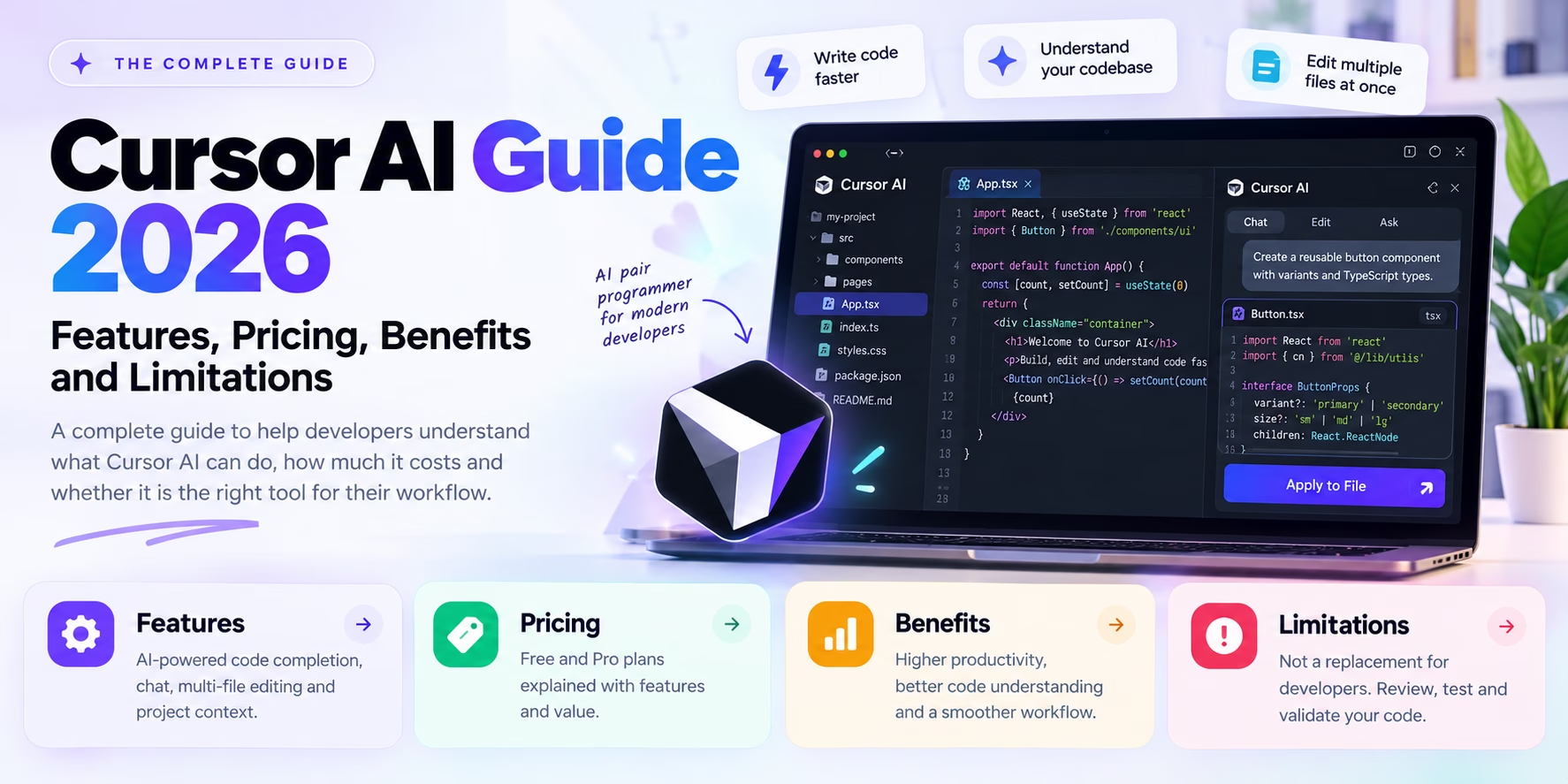
Cursor AI sits in that second category. It is a code editor that tries to pull project context into the editing loop instead of leaving it in a separate chat window. That changes how you work, and it adds a new set of things to check before you trust the output.
Before installing it, ask whether it understands your project well enough to be useful, and how much review effort it adds in exchange for the code it produces. Once you have an honest answer to that, the decision is mostly made.
What Is Cursor AI?
Cursor is a desktop code editor built by Anysphere. It looks and behaves much like Visual Studio Code, which is not an accident: it is a fork of the VS Code codebase, so the familiar keybindings, extensions, terminal panel, command palette and settings model carry over. Moving to a new editor usually means losing your extension setup and relearning muscle memory. Cursor reduces that cost considerably, though extensions and settings are not always a perfect one-to-one match.
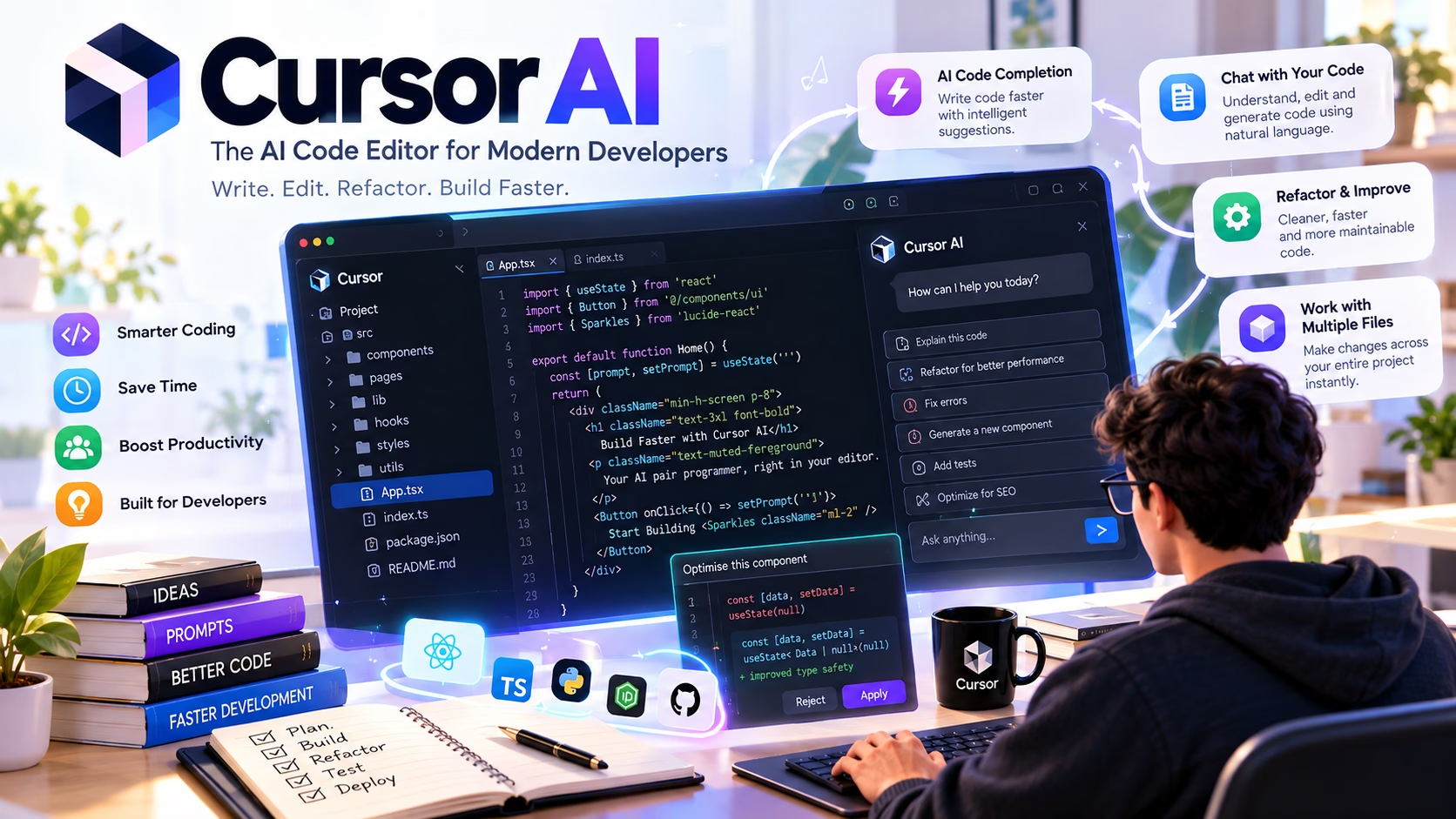
What makes it an AI-powered editor rather than a normal editor with a chatbot bolted on is the way the assistant can see project context. Instead of copying code into a chat box, you reference files, symbols and folders directly, and the model can be given search results, open buffers and indexed snippets from the wider repository. The changes it proposes can be applied across multiple files as a reviewable diff rather than a single insertion at the cursor.
Three modes of interaction are worth separating, because people often conflate them:
- Completion, where the editor predicts the next chunk of code as you type. This is the lowest-friction, lowest-context mode.
- Targeted editing, where you select a block of code and describe a change in natural language. Scope is limited, review is quick.
- Agentic work, where you give a broader instruction and the tool plans, searches, edits several files and sometimes runs terminal commands. This is where most of the value and most of the risk live.
One caveat first: Cursor does not “understand” your whole project in the way a senior engineer does. It gathers context through search, file references and a codebase index, then sends a selection of that context to a language model. If the right file is never retrieved, the model cannot reason about it. Most of the disappointing results developers report come back to that retrieval step, not to the model being fundamentally incapable.
Terminology check
Cursor has changed some product names over time, and different features have been renamed or regrouped across releases. The official documentation at cursor.com/docs is the authoritative source for current labels. Treat feature names in any review, including this one, as a starting point and confirm against the current docs.
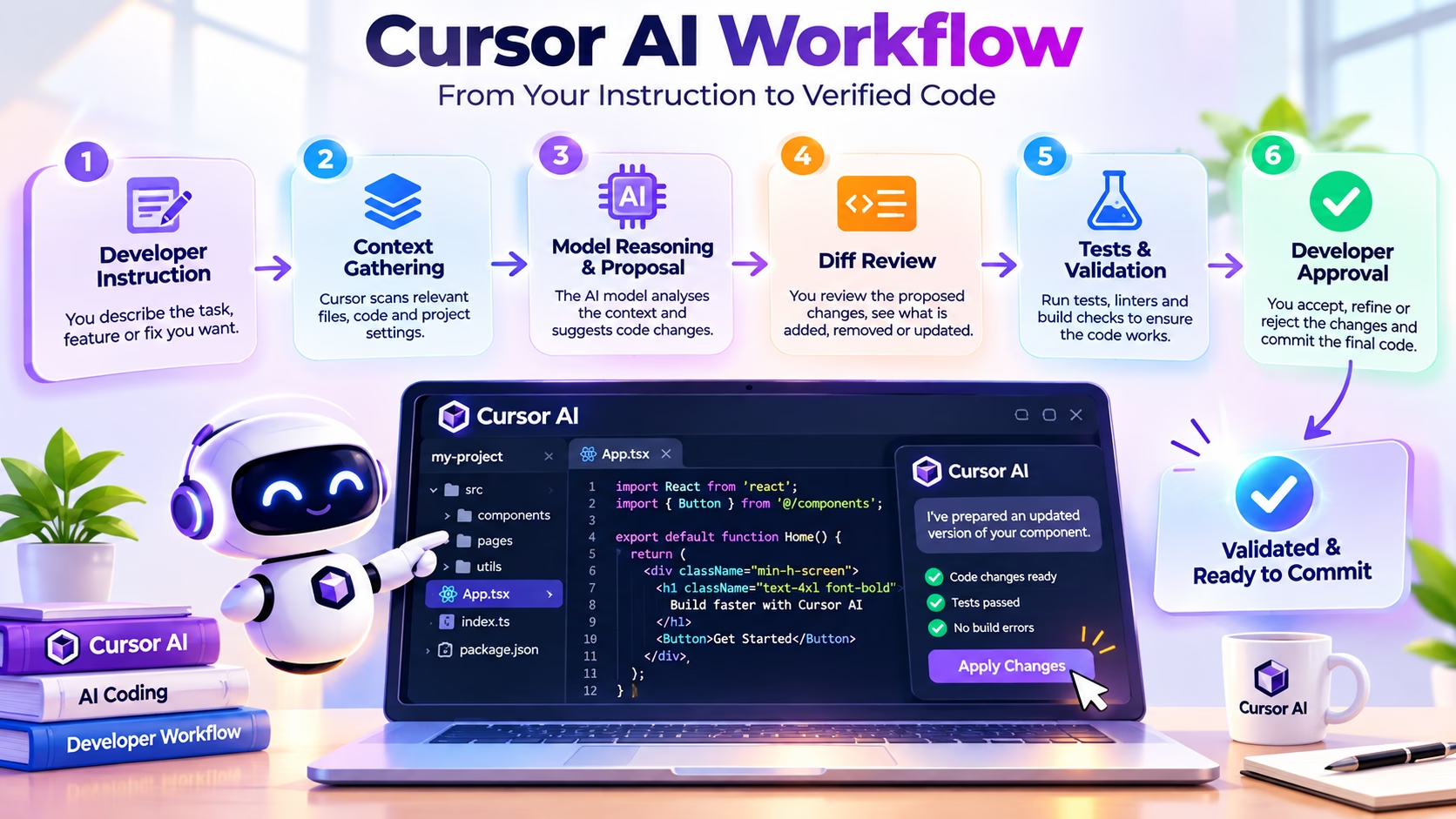
How Cursor AI Works Behind the Scenes
How Cursor AI Works Behind the Scenes
An AI coding session is more than a single prompt. Cursor gathers relevant context, works with an AI model and presents proposed changes for you to review.
Developer Instruction
Describe the feature, bug or improvement you want. Clear prompts help Cursor understand the task, expected behaviour and project requirements.
Context Gathering
Relevant files, code references and project instructions help provide context. Better context can lead to more useful suggestions and fewer incorrect assumptions.
Model Reasoning and Proposal
The selected AI model uses the available context to generate code, explain a function or suggest a solution to the problem you described.
Diff Review
Review proposed changes before accepting them. Inspect modified lines, check assumptions and make sure the solution fits the existing codebase.
Tests and Validation
Run relevant tests, linters and builds to identify regressions. AI-generated code still needs practical verification in your development environment.
Developer Approval
Decide whether to keep, revise or reject the changes. Commit approved work through your normal version control process and deployment checks.
Context gathering
When you ask a question or request a change, the editor assembles a working set. Depending on what you reference, that set might include the currently open file, files you explicitly mention with an @ reference, search results for a symbol, snippets from a codebase index, terminal output, linter diagnostics, or documentation you have attached. Cursor’s codebase indexing is the mechanism that lets it surface files you never opened. The details of how that index is built, stored and refreshed are documented in the official docs, and they are worth reading if you work with private code.
Model reasoning and code proposal
The assembled context goes to a language model, which produces either an explanation or a structured set of edits. Cursor lets you choose between models, and the available list changes over time as providers release new versions. Model choice affects latency, cost, code quality and how well the model follows long instructions. There is no universal “best” model, and anyone who claims otherwise is usually generalising from a narrow set of tasks.
Diff review
Proposed changes are presented as a diff. This is the single most important part of the workflow. A diff tells you exactly what will change, which files are touched, and whether the change is proportionate to the request. Skipping this step is how AI tools introduce subtle regressions that survive for weeks.
Tests and validation
Good practice is to run the relevant test suite, type checker and linter after applying a change. Some agent workflows can run commands in the integrated terminal and react to failures, which is useful for mechanical problems like a missing import. It is considerably less useful for logic errors that the tests do not cover, and it can be actively harmful if the tests themselves are weak.
What is verified and what is conceptual
The pipeline above is a simplified model, not a claim about Cursor’s internal architecture. Cursor’s documentation describes the available features, indexing behaviour and privacy controls. It does not publish every implementation detail. Treat the diagram as a mental model for reasoning about failures: when an answer is wrong, ask which stage went wrong before blaming the model.
Cursor AI Features Explained
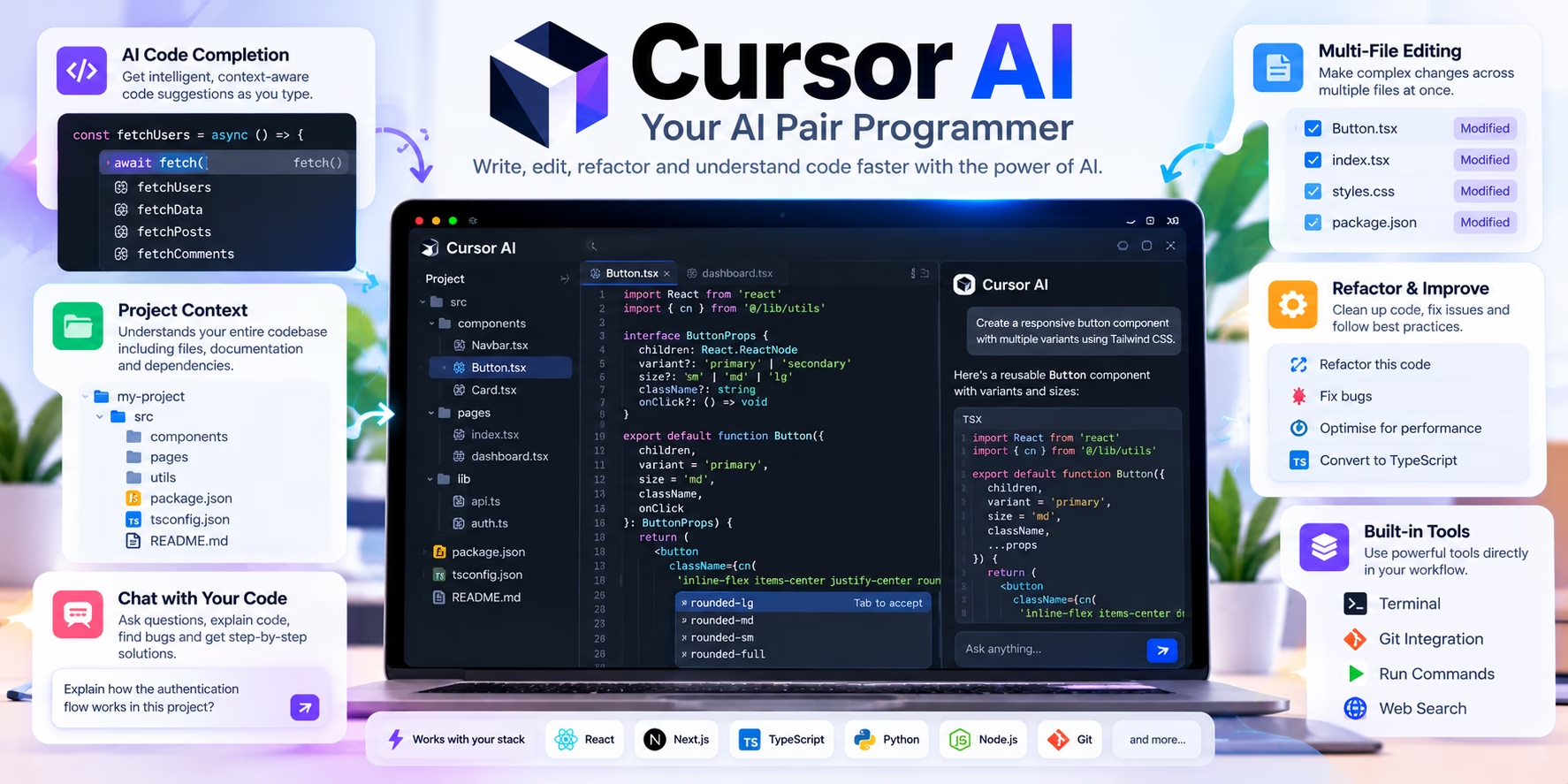
Feature lists are easy to skim and hard to evaluate. For each feature, the useful question is when it helps and what it costs in review effort. The table below covers the main capabilities developers tend to care about, with a realistic limitation attached to each. Availability varies by plan, so check the current documentation before assuming a feature is included in your tier.
| Feature | What it does | When it helps | Realistic limitation |
|---|---|---|---|
| Tab completion | Predicts the next edit or block as you type, including multi-line suggestions. | Repetitive boilerplate, test scaffolding, mechanical refactors within a file. | Suggestions can be confident and wrong; accepting quickly is a common source of small bugs. |
| Inline edit | Select code, describe a change in natural language, review the proposed replacement. | Renaming a variable across a function, tightening a condition, converting a callback to async. | Scope is limited to what you selected, so it can miss related call sites elsewhere. |
| Codebase-aware chat | Answers questions using project context and referenced files. | Onboarding to an unfamiliar repository, tracing how a value flows through layers. | Retrieval is approximate; the file that matters may not be included in the context. |
| Multi-file editing | Proposes coordinated changes across several files as a reviewable diff. | Adding a field end to end, updating a schema and its consumers. | Wider diffs are harder to review and more likely to touch files you did not intend. |
| Agent workflows | Plans a task, searches the project, edits files and can run commands, iterating on errors. | Well-scoped mechanical tasks with clear acceptance criteria and good test coverage. | Can loop, over-edit, or solve the wrong problem confidently. Requires tight supervision. |
| Terminal interaction | Suggests and can execute shell commands, reading output to adjust its next step. | Running a test file, checking a build error, installing a missing dependency. | Command execution is high impact; destructive commands must never be auto-approved. |
| Diff review | Shows proposed changes file by file with accept and reject controls. | Every session. This is the control that keeps AI output honest. | Large diffs encourage rubber-stamping; review quality drops as diff size grows. |
| Model selection | Lets you choose which language model handles a request. | Matching a model to task type, or trading latency against reasoning depth. | Different models behave differently on the same prompt; benchmark claims rarely transfer. |
| Project rules | Reusable instruction files that encode conventions and constraints for the assistant. | Teams that want consistent code style, framework choices and testing patterns. | Rules can conflict or go stale, and long rule sets dilute the important instructions. |
| Documentation and web context | Attaches external docs or web results to a request. | Working with a library whose API changed, or a framework you rarely use. | Retrieved docs may be outdated or irrelevant; the model can still hallucinate APIs. |
| Privacy controls | Settings governing how code is handled, depending on plan and configuration. | Organisations with source code that cannot leave controlled environments. | Settings are one part of the picture; contracts, retention and subprocessors also matter. |
| Team features | Shared billing, admin controls and policy management for organisations. | Engineering teams standardising on one tool with central oversight. | Availability and depth of admin controls differ between tiers. |
A closer look at the three modes
Completion is the least glamorous feature and probably the one you will use most. It is also the one most likely to introduce silent errors, because accepting a suggestion is a reflex rather than a decision. A good habit is to read every accepted completion as if a colleague had submitted it in a pull request. If you would not merge it without reading, do not accept it without reading.
Inline editing is where natural language starts to pay off. Selecting a function and asking for a specific change keeps scope tight and review fast. Vague instructions produce vague edits, so it is worth being concrete about the desired behaviour rather than the desired code shape.
Agent mode is the feature that generates the strongest opinions, in both directions. When the task is mechanical, well-scoped and covered by tests, it can save a meaningful amount of time. When the task is exploratory, ambiguous or touches critical logic, the agent will confidently produce something plausible that you then have to carefully dismantle. The tool cannot tell which situation it is in, so that judgement is yours.
Cursor AI Pricing and Plans in 2026
Verify before you buy
Pricing and usage allowances for AI coding tools change frequently, and Cursor has revised its plan structure more than once. The figures below reflect the plan structure that has been publicly documented, but exact prices and included usage must be confirmed on the official Cursor pricing page on the day you subscribe. Do not budget from a blog post, including this one.
The plans broadly follow a pattern you will recognise from other developer tools: a free tier for evaluation, an individual paid tier for daily use, a per-seat business tier with admin controls, and an enterprise tier with custom terms. The variable that matters most is how usage is metered, not the headline price, because heavy agent use consumes far more model capacity than autocomplete does.
| Plan | Intended user | Price | Key allowances | Limitations to expect |
|---|---|---|---|---|
| Hobby (free) | Beginners, students, developers evaluating the tool | Free | Limited access to core features and models | Usage caps are restrictive for daily agent work |
| Pro | Individual developers using the editor daily | Monthly subscription (confirm current figure) | Broad feature access, larger usage allowance, model choice | Heavy agent usage can exhaust allowances and require add-on usage |
| Business / Teams | Engineering teams needing central billing and admin | Per seat, billed monthly (confirm current figure) | Admin controls, policy management, team billing | Per-seat cost adds up; governance features vary by tier |
| Enterprise | Large organisations with procurement and compliance needs | Custom | Negotiated terms, security review, support arrangements | Longer procurement cycle; pricing is not public |
Two practical points that pricing pages tend to understate. First, usage allowances are usually expressed in terms that are hard to map onto real work. A long agent session that reads twenty files, iterates four times and runs a test suite consumes considerably more than an afternoon of autocomplete. Second, if your team already pays for model API access elsewhere, compare the total spend rather than the editor subscription in isolation.
There is also a hidden cost that does not appear on any invoice: review time. If a tool produces changes that take longer to verify than to write by hand, the subscription is not the expensive part.
Cursor AI vs GitHub Copilot
This comparison gets framed as a fight far too often. The two products started from different assumptions. GitHub Copilot began as an extension that brings AI assistance into whichever IDE you already use, with deep integration into the GitHub platform. Cursor began as an editor built around AI from the ground up. That difference in origin explains most of the practical differences in daily use.
Copilot’s strength is that it meets developers where they already are. If your team lives in VS Code, JetBrains IDEs or Visual Studio, and your workflow is anchored on GitHub pull requests, Copilot fits without asking anyone to change editor. Cursor asks for a bigger commitment: a new editor, a re-established extension setup and a slightly different mental model. In exchange you get a tool where multi-file editing, codebase context and agent behaviour are central rather than bolted on.
| Dimension | Cursor AI | GitHub Copilot |
|---|---|---|
| Core workflow | AI-first editor with integrated chat, inline edits and agents | Extension across multiple IDEs, integrated with GitHub |
| Inline completions | Strong, with multi-line and next-edit prediction | Strong, mature, widely used |
| Codebase context | Project indexing with explicit file and symbol references | Repository and workspace context, depth varies by plan |
| Multi-file changes | Central feature, diff-based review | Available, improving across releases |
| Agent capabilities | Agent mode with terminal execution and iteration | Coding agent features, integration varies by surface |
| IDE support | Cursor editor itself (VS Code fork) | VS Code, JetBrains, Visual Studio, Neovim and others |
| Model choice | Multiple providers selectable in the editor | Multiple models, selection depends on plan and surface |
| Terminal workflows | Integrated terminal with AI-driven command execution | Terminal assistance via CLI and IDE surfaces |
| Pricing structure | Individual and per-seat tiers, usage-based pressure at high volume | Free tier plus individual, business and enterprise tiers |
| Organisational controls | Admin and policy features on business and enterprise tiers | Mature enterprise governance via GitHub |
| Beginner friendliness | Powerful but easy to over-rely on | Lower friction if you already use a supported IDE |
| Established teams | Attractive for teams willing to standardise on a new editor | Attractive for teams already embedded in the GitHub ecosystem |
For a much more detailed breakdown of the Microsoft side of this comparison, including current plan structure and agent features, our detailed GitHub Copilot review covers it properly. The short version is that both tools are competent, and the decision usually comes down to whether changing your editor is acceptable and how much you value repository-native workflows.
The gap between the two products in any given month is smaller than the marketing implies. Both are built on top of general-purpose models that are available to competitors. The differentiator is the product around the model: context handling, review interface, editor integration and governance.
Cursor AI Compared With Other AI Coding Tools
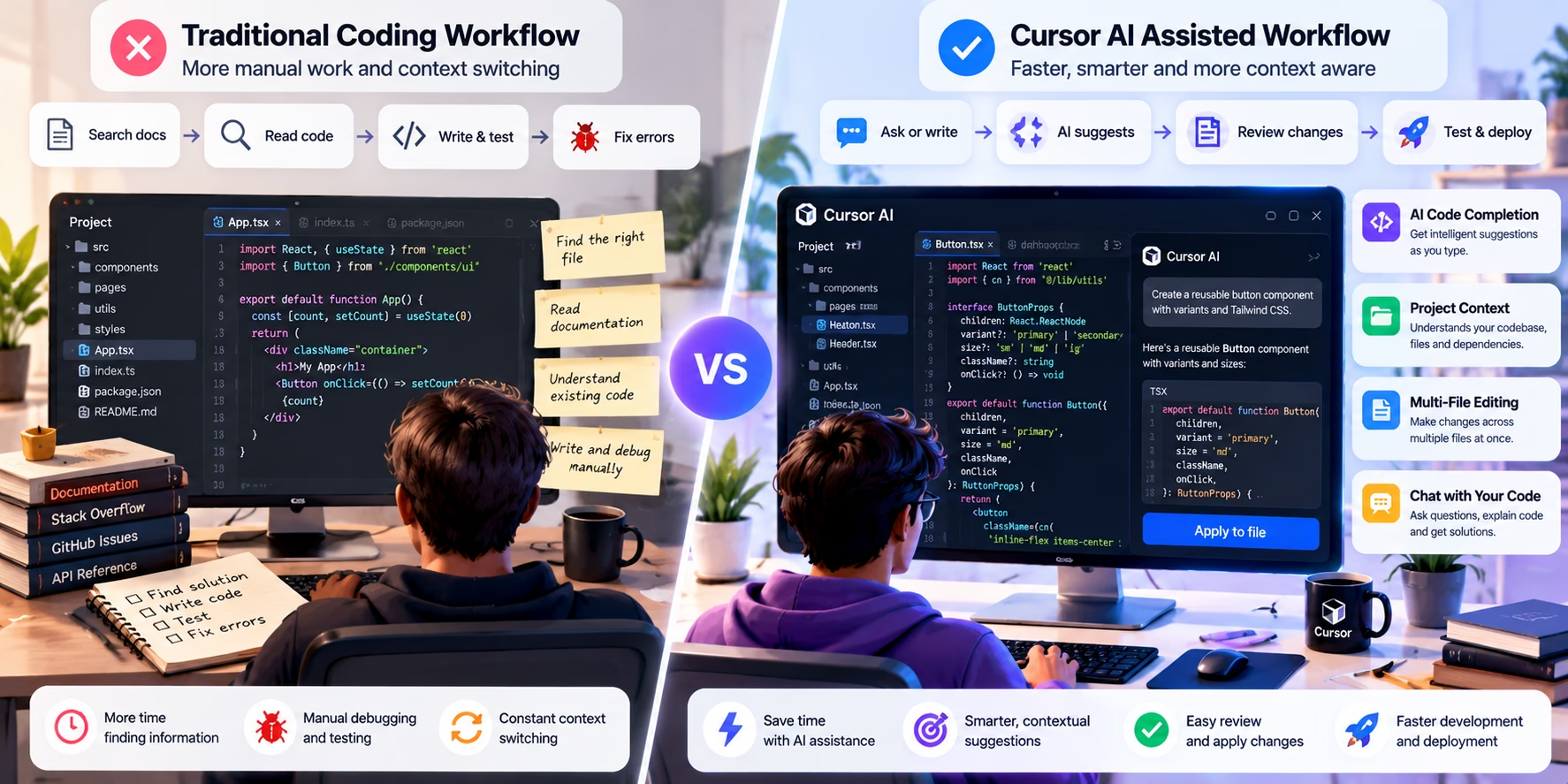
There are more credible options in 2026 than a couple of years ago, and the differences between them are often narrower than vendor pages suggest. Instead of an exhaustive comparison, this section groups tools by the problem they solve.
Editor-native tools such as Cursor and Windsurf assume you will work inside a purpose-built environment. They offer the tightest integration between context, editing and review, at the cost of asking you to switch editors.
Extension-based assistants such as GitHub Copilot, Continue and various JetBrains plugins meet you in your existing editor. They are easier to adopt across a team and usually cheaper to standardise, but multi-file agent behaviour is often less deeply integrated.
Terminal-first agents such as Aider and command-line coding agents suit developers who already live in the shell. They are highly composable and easy to script, though they offer less visual diff review out of the box.
Platform-integrated assistants such as GitHub Copilot’s repository features and Amazon Q Developer lean on the surrounding platform for context, permissions and review. They make most sense when your code, issues and pipelines already live there.
Choosing between them is mostly about constraints, not features. A mandated IDE constrains you, and so does a language ecosystem with weak editor support outside one environment. If your security team will approve an extension but not a new editor, that decides it. A fixed per-seat budget may rule out usage-based pricing before capability does.
For a wider survey of the options with current feature and pricing notes, our guide to the best AI tools for developers in 2026 covers the main contenders in more depth. No single tool wins across every dimension, and most developers end up with one primary assistant plus a couple of specialist tools.
| Developer profile | Reasonable starting point | Why |
|---|---|---|
| VS Code user, small team | Extension-based assistant | No editor migration, easy central billing |
| Solo developer, heavy refactoring | Editor-native tool such as Cursor | Multi-file edits and codebase context matter most |
| JetBrains power user | JetBrains-native assistant | Avoids losing IDE features and refactoring tools |
| Shell-centric workflow | Terminal agent | Fits existing habits, easy to script and audit |
| Regulated enterprise | Platform-integrated or enterprise tier | Governance and procurement matter more than features |
Practical Cursor AI Workflows for Real Developers
This is where the tool either earns its place or does not. The workflows below are the ones developers actually run repeatedly, not the demo scenarios from launch videos. For each one, the important parts are the instruction, the review step and the failure mode.
1. Understanding an unfamiliar repository
The problem: you have joined a project, or you have been asked to fix something in a service you have never touched. The README is out of date and the folder structure does not obviously map to the domain.
The instruction: ask for a structured explanation before any code is generated. Reference the entry point and ask for the request lifecycle, the persistence layer, configuration sources and the test strategy.
What good looks like: a summary that names real files, describes the flow in order, and explicitly flags anything it could not find. You then verify by opening two or three of the named files.
What can go wrong: the tool describes an architecture that sounds plausible but does not match the repository, because it retrieved a similar-looking project pattern from training data rather than the actual files. Always cross-check names against the file tree.
2. Debugging a failing API endpoint
The problem: an endpoint returns a 500 for some requests, works for others, and the logs are unhelpful.
A realistic starting point looks something like this FastAPI handler:
@app.get("/orders/{order_id}")
async def get_order(order_id: str, user=Depends(current_user)):
    order = await db.orders.find_one({"_id": order_id})
    return order
There are at least three defects here that a careful reviewer would spot: a string is being compared to an ObjectId field, there is no ownership check, and a missing order returns null instead of a 404. The tool may find all three if you ask it to trace the failure, or it may confidently “fix” only the first one.
The instruction: provide the error, the handler and the relevant model, then ask for a diagnosis before a patch. Explicitly ask it to list assumptions it is making about the database driver and the authentication middleware.
Validation: write or run a test that reproduces the failure first. Confirm the fix changes the observed behaviour, not just the code.
What can go wrong: the tool invents a helper function that does not exist, or assumes a serialisation step that the framework does automatically. The patch compiles, but the runtime error persists.
3. Refactoring duplicated functions
The problem: three modules contain near-identical formatting logic with small divergences that nobody remembers the reason for.
The instruction: ask the tool to identify the differences first, then propose a consolidation strategy, then implement only after you approve. Consolidation without understanding the divergences is how edge cases get broken.
Validation: the existing tests should pass, and you should add tests for each divergent case before deleting the duplicates.
What can go wrong: the tool picks the most common variant and silently drops the edge-case behaviour from the other two. This is exactly the kind of regression that survives review because the diff looks tidy.
4. Adding a feature across several files
The problem: a new field has to travel from the database schema, through the API layer, into the front-end types and forms.
The instruction: describe the field, its type, its validation rules and the expected behaviour in each layer. Ask for a plan listing every file that will change before any edit happens.
Validation: check the migration, the API contract, the generated types and the form validation independently. Multi-file changes are where partial implementations hide.
What can go wrong: the tool updates the happy path and forgets the update endpoint, the seed data or the OpenAPI schema. The feature works in your manual test and fails in staging.
5. Writing unit tests for an existing module
The problem: a module has no tests and you need coverage before refactoring it.
The instruction: give the module, ask for tests that cover the public surface, and explicitly request that the tool list the behaviours it is asserting rather than just producing assertions. Tests that assert the implementation rather than the behaviour are worse than no tests.
def test_get_order_returns_404_for_unknown_id(client):
    response = client.get("/orders/64b7f0c2a1b2c3d4e5f60718")
    assert response.status_code == 404
Validation: mutate the implementation deliberately and confirm the tests fail. If they still pass, they are not testing anything.
What can go wrong: generated tests mirror the current implementation exactly, including its bugs, and then lock those bugs in place.
6. Investigating a database query problem
The problem: a report is slow, and the numbers look slightly off for customers with no recent orders.
SELECT c.id, c.name, COUNT(o.id) AS order_count
FROM customers c
LEFT JOIN orders o ON o.customer_id = c.id
WHERE o.created_at > NOW() - INTERVAL '30 days'
GROUP BY c.id, c.name
ORDER BY order_count DESC;
The filter in the WHERE clause effectively turns the left join into an inner join, so customers with no recent orders disappear. A competent diagnosis moves the condition into the join and explains the difference in row counts.
The instruction: provide the query, the schema and the observed symptom. Ask for an explanation of the execution plan and the row-count difference before any rewrite.
What can go wrong: the tool rewrites the query in a way that fixes the count but introduces a cartesian product, or suggests an index without considering write amplification.
7. Improving a React component
The problem: a list component re-renders on every keystroke and the filter is case-sensitive.
function ProductList({ products }) {
  const [query, setQuery] = useState("");
  const filtered = products.filter((p) => p.name.includes(query));
  return (
    <div>
      <input value={query} onChange={(e) => setQuery(e.target.value)} />
      {filtered.map((p) => <ProductRow key={p.id} product={p} />)}
    </div>
  );
}
The instruction: ask for a memoised filter, case-insensitive matching, an accessible label on the input and a stable row component. Be explicit that you want the behaviour preserved for the empty-query case.
Validation: check with the React profiler, not by feel. Confirm the input is labelled for screen readers and that keyboard behaviour is unchanged.
What can go wrong: the tool adds useMemo without fixing the real cause, or wraps components in memo that receive a new object prop on every render, so nothing improves.
8. Reviewing a risky change before merging
The problem: a colleague’s pull request touches authentication middleware and you want a second pair of eyes.
The instruction: ask the tool to review the diff for security-relevant behaviour changes, list the assumptions it makes about the rest of the codebase, and identify which tests would catch a regression.
Validation: treat the output as a checklist of things to look at, not as an approval. Every claim it makes about existing code should be verified.
What can go wrong: the review is confidently incomplete. A model that has not retrieved the session configuration cannot tell you whether the change is safe.
Cursor AI Prompts Developers Can Actually Use
Prompt quality matters less than people think, but scoping matters more than people expect. The prompts below work because they specify three things: what to inspect, what constraints apply, and how the result will be validated. Copy them, adapt the file names, and expect to rewrite about a third of each one for your project.
Prompt quality matters less than people think, but scoping matters more than people expect. The prompts below work because they specify three things: what to inspect, what constraints apply, and how the result will be validated. Copy them, adapt the file names, and expect to rewrite about a third of each one for your project.
1. Understand a repository before touching it
Inspect this repository and explain its architecture before I change anything. Identify the entry points, the request lifecycle for the main API, the persistence layer, configuration sources and the test strategy. Name the specific files you are basing each statement on, and list anything you could not determine from the code you retrieved. Do not edit any files.
2. Diagnose before patching
The endpoint at src/api/orders.ts is returning a 500 for some requests but not others. Here is the handler, the error log and the relevant model. Diagnose the failure first: list the possible causes in order of likelihood, state the assumptions you are making about the database driver and the auth middleware, and tell me which files you still need to read. Do not propose a patch until I approve the diagnosis.
3. Refactor with the differences preserved
These three functions look duplicated but I suspect the differences are deliberate. Compare them line by line, describe every behavioural difference you find, and explain what input would produce different results. Then propose a consolidation strategy that preserves all three behaviours. Do not write code yet.
4. Write tests that assert behaviour
Write unit tests for src/lib/pricing.ts. Cover the public functions only, and assert observable behaviour rather than internal implementation. For each test, state in one sentence which behaviour it protects and what bug it would catch. Flag any branch you cannot confidently test without refactoring the module.
5. Find the actual bottleneck
This function is called once per rendered row and the page feels slow when the list is large. Read the function and its call sites, then tell me where the time is actually being spent. Distinguish between algorithmic cost, repeated work and unnecessary re-renders. Do not optimise anything until you have explained which of those three is dominant and how I could measure it.
6. Security review of a diff
Review this diff for security-relevant changes. Look specifically for authorisation checks that were removed or reordered, input validation that is now missing, secrets that may have been introduced, and error responses that leak internal details. For each finding, quote the exact line and explain the attack scenario. If you cannot see the surrounding code, say so rather than guessing.
7. Improve documentation without inventing details
Rewrite the docstrings in this module so that they describe what the functions actually do, based only on the code in front of you. Do not describe behaviour that is not implemented. Where the code is ambiguous, add a TODO comment instead of an assumption. Keep the existing style and do not change the signatures.
8. Plan a feature before editing
I need to add a date-range filter to the reports page. The filter must apply to the existing summary query, persist in the URL, and reset cleanly. Produce a plan that lists every file you expect to change and why. Identify the migrations, API changes, front-end state changes and tests involved. Do not edit files until I have approved the plan and corrected any wrong assumptions.
9. Diagnose a failed build
Here is the full build output and the lockfile entry for the failing package. Explain the root cause rather than the surface error. Check whether this is a version conflict, a missing peer dependency or a resolution issue caused by the workspace layout. Propose the smallest change that fixes it and explain what else that change could affect.
10. Review a pull request diff
Review this pull request diff as a senior engineer would. Focus on correctness, edge cases, error handling and test coverage rather than style. For each concern, state the scenario that would trigger it. Highlight anything that changes existing public behaviour. Do not approve the change; produce a list of questions I should ask the author.
11. Explain legacy code with no context
This module has no tests and no documentation. Explain what it does, what inputs it expects, what it returns and what it would do on malformed input. Where the behaviour depends on something outside this file, tell me which file I need to read next. If the code appears to contain a bug, describe it but do not fix it yet.
12. Scope a change before accepting it
Before you write any code, restate my request in your own words, list the files you intend to modify, and describe the acceptance criteria you will use to judge success. If any part of the request is ambiguous, ask a clarifying question instead of choosing an interpretation. Wait for my confirmation.
Why these work
Each prompt separates diagnosis from implementation, names the evidence the tool should use, and defines what “done” looks like. The worst results come from a vague goal combined with an expectation that the tool will infer the constraints. It will infer something, but often something plausible and wrong.
Building a Feature With Cursor AI
Take a realistic example: adding a search filter to a dashboard that currently loads all records. It is small enough to finish in an afternoon but touches several layers, and most developers have done something like it.
Ship Better Code with Cursor AI
A practical checklist for using an AI coding assistant without losing control of your codebase, quality or security. Work through each step before committing your changes.
Define the Expected Behaviour
Decide what the feature should do. Consider case sensitivity, debounce behaviour, URL persistence and what happens when the user navigates away.
Inspect the Existing Files
Ask Cursor to examine the data-fetching layer, relevant components and current filter UI. Reuse existing project conventions instead of inventing new ones.
Ask for a Plan First
Request a short implementation plan. Check that the assistant understands the data source, dependencies and intended behaviour before editing files.
Confirm the Scope
Keep the solution focused on the requested feature. Remove unnecessary abstractions, unrelated refactoring and changes that increase maintenance work.
Implement in Small Increments
Build the data layer first, then the interface and state persistence. Small changes are easier to inspect, test and roll back.
Inspect Every Code Diff
Review all additions and deletions. Look for removed safeguards, changed defaults, exposed credentials and unnecessary new dependencies.
Run the Relevant Tests
Run the existing test suite, not only tests suggested by the AI. Investigate failures rather than changing tests simply to make them pass.
Review Edge Cases
Test empty queries, whitespace, special characters, long input, rapid typing, browser back navigation and unexpected API responses.
Check Performance and Security
Verify that queries are safely parameterised, access controls remain intact and the feature does not expose records the user should not see.
Commit Only After Verification
Confirm the feature behaves as expected, tests pass and the final diff is clean. Commit the verified work using your normal version-control process.
Generating the code is only step five of ten. Everything before it is scoping and everything after it is verification. Developers who get frustrated with AI coding tools usually collapse steps one to four and six to nine into “ask for the feature” and “accept the diff”, and then wonder why the result is unreliable.
Cursor AI for Different Developer Types
Tool reviews tend to assume a generic “developer”. Real developers have very different constraints, and the value of an AI editor varies accordingly.
| Developer type | Fit | Main benefit | Main risk |
|---|---|---|---|
| Beginner | Moderate | Explanations of unfamiliar code, faster feedback | Accepting code without understanding it; learning the tool instead of the language |
| Front-end developer | Strong | Component refactors, accessibility fixes, type updates | Plausible but subtly broken markup and state logic |
| Back-end engineer | Strong | Query tuning, endpoint scaffolding, test generation | Security-relevant omissions in auth and validation |
| Full-stack developer | Very strong | Coordinated multi-layer changes | Partial implementations that pass local tests |
| Python developer | Strong | Typing, refactors, test scaffolding | Hallucinated library APIs and outdated idioms |
| Indie hacker | Very strong | Speed across unfamiliar stacks and boilerplate | Accumulating code nobody understands, including the author |
| Established engineering team | Conditional | Consistent conventions, faster routine work | Governance gaps, variable quality across team members |
Beginners
For beginners, the value is mostly explanatory. A tool that can read a stack trace and explain which line caused it, in the context of the actual file, is useful for learning. The risk is equally clear: it is possible to build a whole project by accepting suggestions and understand almost none of it. That produces a working application and a developer who cannot maintain it. A useful discipline is to accept nothing you could not explain to someone else afterwards.
Experienced developers
For experienced developers, the calculation is different. You already know how to write the code; the tool is valuable when it saves the boring parts, or when it retrieves context faster than you could grep for it. The failure mode here is complacency, such as reviewing a large diff at 11pm because the tests passed.
Small teams and solo founders
Indie hackers get the largest raw speed-up, because they are often working across unfamiliar technologies and writing the same scaffolding repeatedly. They also carry the largest long-term risk, because there is no colleague to catch the subtle mistakes and no second reviewer to notice that the authentication check disappeared. A solo developer using an AI editor should lean harder on tests, not less.
Cursor AI Limitations and Common Problems
A balanced assessment has to be specific about failure modes, because “sometimes it is wrong” is not actionable. These are the problems developers report most often, with a practical mitigation attached to each.
Outdated or incorrect generated code
Models are trained on data with a cut-off, and library APIs change. The tool may write code for a version of a framework that no longer exists in your lockfile. Mitigation: keep dependencies current in the repository and reference the installed version in your prompt. Attach the official docs when working with a library you rarely use.
Hallucinated APIs and non-existent functions
This is the most common and most irritating failure. The generated code calls a method that sounds exactly like something the library would have. Mitigation: treat every unfamiliar method name as a claim to verify. A quick search in the library source or docs takes seconds and prevents a confusing runtime error later.
Incomplete project context
The retrieval step can miss the file that matters, especially in large monorepos or projects with unusual structure. Mitigation: reference files explicitly rather than hoping the index finds them. If the answer feels generic, it probably is.
Multi-file changes that introduce regressions
The larger the diff, the easier it is for something to slip through. Mitigation: cap the scope. If a change touches more than a handful of files, split it into separate reviewed steps.
Dependency conflicts
Agent workflows that install packages can introduce version conflicts that are hard to trace. Mitigation: never auto-approve package installations. Review the lockfile diff as carefully as the source diff.
Fragile tests
Generated tests often assert implementation details, which means they break on refactors and pass on regressions. Mitigation: review test intent, not just coverage. Ask what behaviour each test protects.
Security mistakes
Missing authorisation checks, unvalidated input and error messages that leak internals are all common in generated code. Mitigation: treat any change to authentication, authorisation or data access as requiring explicit human review, regardless of how confident the tool sounds.
Unnecessary abstractions
The tool will sometimes introduce a helper, a factory or a configuration layer for a problem that needed three lines. Mitigation: ask for the smallest change that solves the problem, and reject anything that adds indirection without a current need.
Usage limits and latency
Heavy agent sessions consume allowance quickly, and long contexts are slower. Mitigation: use targeted editing for small changes and reserve agent mode for tasks that need it.
Privacy considerations
Code sent to a model provider leaves your machine. What happens next depends on the plan, the settings and the provider’s terms. Mitigation: read the privacy documentation and your organisation’s policy before pasting proprietary code into any prompt.
A note on failure rates
You will see confident claims online about how often AI-generated code contains bugs. Most of those numbers come from narrow benchmarks or vendor studies and do not transfer to real repositories. The honest position is that failure is frequent enough to require review discipline, and that the rate depends heavily on task type, context quality and the model used.
Security, Privacy and Responsible AI Coding
Security is where enthusiasm for AI tooling most often outruns judgement. The practical concerns fall into a few categories: what leaves your machine, what the tool is allowed to do on your machine, and what it writes into your codebase.
On the first point, Cursor publishes privacy documentation describing how code is handled and what settings are available. Those settings matter, but they are one input among several. Your organisation also needs to consider the contractual terms, retention periods, subprocessors and the policies of whichever model providers are involved. A privacy toggle is not a substitute for a data protection review, and it is not a legal opinion.
On the second point, agent workflows can run terminal commands and modify files. That is a significant capability. Any workflow that can execute shell commands should be configured so that destructive operations require explicit approval, and should never run against a production environment from a developer laptop.
On the third point, generated code inherits the security posture of its prompt. If you ask for a login flow without mentioning rate limiting, password hashing or session rotation, you may get a functional flow that is missing all three.
- Never paste API keys, tokens or credentials into a prompt, even in a “just for context” example.
- Keep
.envfiles out of any context the tool can read, and confirm they are gitignored. - Review every change that touches authentication, authorisation, session handling or payment logic manually.
- Require human approval for any agent action that deletes files, rewrites git history or runs migrations.
- Check that generated database queries are parameterised rather than string-concatenated.
- Verify that error responses do not include stack traces, internal paths or query fragments.
- Review dependency additions for licence compatibility and known vulnerabilities.
- Confirm that generated tests do not disable security checks or mock away the very behaviour under test.
- Read the current privacy documentation and align it with your organisation’s policy before adoption.
On licences and intellectual property, the situation is murky and varies by jurisdiction. Generated code is not automatically free of third-party obligations, and code that closely resembles a known source can carry licence implications. For most teams this is a low-frequency risk, but it is not zero, and organisations with strict IP policies should treat it as a governance question rather than a developer preference.
Does Cursor AI Actually Improve Developer Productivity?
The honest answer is that it depends on which part of the work you measure. Typing code is a small fraction of the job. Reading, debugging, reviewing, testing and coordinating with other people take up far more time. A tool that halves the typing portion and increases the review portion by a third may still be a net win, but not by the margin the marketing suggests.
Several factors determine whether the trade is favourable:
- Task complexity. Mechanical, well-defined tasks benefit most. Exploratory or ambiguous tasks benefit least.
- Repository size and structure. Clean, conventionally structured projects retrieve context better than sprawling monorepos with inconsistent conventions.
- Developer experience. Experienced developers can spot plausible-but-wrong output quickly. Beginners cannot, which is where the risk concentrates.
- Test quality. Strong test suites turn AI output from a gamble into something verifiable.
- Review discipline. The single biggest variable. A team that reviews carefully gets value. A team that rubber-stamps diffs accumulates debt faster than before.
- Model and latency. Faster responses encourage more iteration, which is not always a good thing.
Where Does Cursor AI Save Time?
Compare illustrative effort across common software development stages. AI assistance can reduce some manual work, but reviewing, testing and debugging remain essential.
Scoping the task
Finding context
Writing the first draft
Reviewing the diff
Testing
Debugging
Efficiency is not the same as fewer steps
In this illustrative scenario, drafting takes less effort with AI assistance, while reviewing proposed changes can require more. The trade-off depends on your project and the quality of the output.
Important: All values are hypothetical illustration units, not measured time, a published benchmark or results from a controlled study. They are provided to demonstrate possible trade-offs, not to claim that Cursor AI always reduces effort.
The chart illustrates one pattern: AI assistance tends to reduce drafting effort and increase review effort. Whether the total goes down depends on how much review the change actually needs, which depends on how much you trust the output, which depends on how well the tool understood your project. That chain is long and fragile. Any claim of a precise productivity percentage should be treated with suspicion.
Common Cursor AI Mistakes to Avoid
Most bad outcomes developers report come from predictable workflow mistakes, not a weak model, and they are easy to fix once you notice them.
Asking for a large feature without defining scope
A request like “add user profiles” gives the tool no constraints, so it invents them. Correction: define the data model, the endpoints, the UI behaviour and the acceptance criteria before you ask for anything.
Allowing unnecessary files to be modified
Large diffs often include files that did not need to change. Correction: review the file list before reviewing the content. If a file does not belong in the change, reject that part of the diff.
Ignoring diffs
Accepting a change without reading it is the single most common mistake. Correction: treat every diff as a pull request from a stranger. Read it properly or do not accept it.
Accepting commands without inspecting their effects
Terminal commands can delete files, rewrite history or push to remote. Correction: read every command before execution, and disable auto-approval for anything destructive.
Trusting generated tests without checking assertions
A test that asserts the current output is not a test, it is a snapshot of the bug. Correction: read each assertion and ask what behaviour it protects.
Adding abstractions before understanding the architecture
Generated helper layers can conflict with existing conventions. Correction: ask the tool to inspect existing patterns first and follow them, or explain why it cannot.
Pasting secrets into prompts
It happens more often than anyone admits. Correction: redact credentials before any copy and paste, and keep .env files outside the workspace context.
Skipping integration tests
Unit tests can pass while the feature fails end to end. Correction: run the integration suite for any change that crosses a boundary.
Treating the AI as a substitute for code review
A second model is not a second reviewer. Correction: keep human review for anything that matters, and use AI review as an additional checklist rather than a replacement.
Cursor AI Best Practices for Professional Teams
Introducing AI tooling is a process change as much as a software purchase. Teams that get value from it tend to do the following consistently.
Encode conventions in rules
Repository-specific rule files give the assistant a stable description of your conventions: framework choices, folder structure, testing patterns, naming and error handling. Keep them short and specific. A rule file that tries to describe everything becomes noise.
Keep changes small and reviewable
Set an informal limit on diff size for AI-assisted changes. If a change exceeds it, split it. Review quality drops sharply as diff size grows, and this is true for human-written code too.
Write acceptance criteria before prompting
A short written definition of done makes both the prompt and the review easier. It also gives the team a shared language for judging whether the tool helped.
Automate verification
Continuous integration, type checking and linting are the backstop that makes AI-assisted development safe at team scale. If your CI is weak, fix that before rolling out an AI editor.
Require human approval for high-impact actions
Migrations, infrastructure changes, authentication logic and anything that touches production should have an explicit human gate. This is a policy decision, not a tool setting.
Measure outcomes
Track cycle time, review iterations, defect escape rate and the proportion of AI-assisted changes that required rework. Do not track “lines generated”. It is a meaningless metric that rewards the wrong behaviour.
Keep consistency across the team
If half the team uses agent mode aggressively and half writes everything by hand, review expectations diverge. Agree on a baseline: what the tool may do unsupervised, what requires review, and what is off limits.
Pilot before you standardise
Run a small pilot with two or three developers on a non-critical service. Measure review effort, not just speed. Then decide whether to expand.
Cursor AI, Machine Learning and the Future of Software Development
Cursor, like every AI coding assistant, is a product built on top of large language models. Those models are trained using machine learning techniques on very large corpora of text and code. If you want a proper grounding in how that works, our machine learning guide covers the fundamentals without assuming a research background.
For a broader overview of the field and how these systems fit into it, the complete guide to artificial intelligence is a useful starting point. The key distinction for developers is between systems that generate plausible text and systems that verify their own output. Current coding assistants do the first well and the second poorly, which is why tests and review remain essential.
The pace of model development matters here, but not in the way marketing suggests. A better model produces better suggestions, but it does not automatically produce a better workflow. Improvements in reasoning and context length help with larger tasks, and improvements in latency make iteration cheaper. Neither removes the need to check what the tool did.
Developments at the frontier, such as the capabilities discussed in our coverage of GPT-6 Astra, influence what coding tools can attempt. Larger context windows and stronger reasoning make multi-file work more feasible. They do not make it free of risk, and they do not change the fundamentals of software engineering: correctness, maintainability, security and observability.
The same pattern appears outside software. In domains such as aerospace, AI systems are increasingly used for analysis and simulation support while humans retain authority over safety-critical decisions. Our article on how AI is shaping the future at SpaceX makes the same point: the most successful deployments tend to have clear verification boundaries. The same applies to coding tools.
Three predictions for the next few years seem reasonably safe. First, editor integration will get tighter and context handling will improve. Second, the distinction between “assistant” and “agent” will blur further, with more autonomous multi-step behaviour. Third, the teams that benefit most will be the ones that invested in tests, CI and review discipline before the tools arrived. If your process is weak, automation will make that more visible.
Your First Cursor AI Workflow: A Small Experiment Worth Running
If you want to evaluate Cursor properly, do not start with your most important repository. Pick a small project you understand well, ideally one with a few tests and a minor annoyance you have been putting off. The goal is to judge the workflow, not to ship a feature.
This sequence takes about an hour and gives you a real answer.
- Ask the tool to explain the repository structure and the main data flow. Note which files it names. Open them and check whether the description was accurate.
- Pick one small bug or improvement. Something with a clear expected behaviour and a test you can run.
- Ask for a plan before any editing. Read it carefully and correct anything that misrepresents the codebase.
- Let the tool implement one step at a time. Review each diff before accepting it.
- Run the relevant tests. If none exist, write one first and confirm it fails before the fix and passes after.
- Compare the result with the original behaviour manually. Click through the feature, check the edge cases, look at the network tab if relevant.
- Ask yourself three questions. Did the tool save time overall, including review? Did it produce anything you would not have written? Would you trust it on a larger change in the same repository?
The answers will tell you more than any feature list. If the workflow felt like a net gain on a task you already understood, it will probably be a net gain on similar tasks. If it felt like you spent more time reviewing than you saved, that is also a legitimate result, and it may change as you learn the tool or as the models improve.
What tends to happen, in practice, is that developers find a narrow set of tasks where the tool is clearly useful and a wider set where it is not worth the overhead. That is a reasonable outcome. It is a fast, confident assistant that needs a reviewer who is paying attention. The developers who get the most from it are the ones who stayed willing to say “no, that is not what I asked for” and then explained why.
A final practical note
Keep a short log of AI-assisted changes for a month: what you asked for, how many review iterations it took, and whether anything slipped through. After four weeks you will have a personal dataset that is far more useful than any review, including this one.